Let's be real for a moment. Being a writer is more than simply writing on a page. We are supposed to be researchers, editors, marketers, and productivity gurus simultaneously. It is becoming overwhelming, right? That blinking cursor on a blank page can indeed be an enemy some days. That's why finding the right writer tools is so important.
The contemporary world is distracting. One alert is enough to interrupt a profoundly creative state. On top of it, you must maintain your research orderly, have the best grammar, and make your style clear and persuasive. Juggling all of that manually is not just difficult; it is inefficient. Per my observation, the authors who find it the most difficult are those who attempt to do everything on their own.
This is where possessing a good set of writer tools comes in. They are not just nice-to-have gadgets; they are your invaluable assistants in the creative process. The right software will be in a position to close the distractions, get your busy notes into a clean outline, and refine your messy draft to something that appears to be very professional. It is about working smarter, not just harder.
What This Guide Will Cover
What would you include in your ideal digital toolkit? This is what this guide is all about. We will take you through the finest professional writing tools at each of the phases of your work: editing, writing, research, and focus. Let's get started.
AI-Powered Professional Writing Tools
AI was developed as one of the most effective writing tools. It can assist you in brainstorming, researching, writing, and streamlining content.
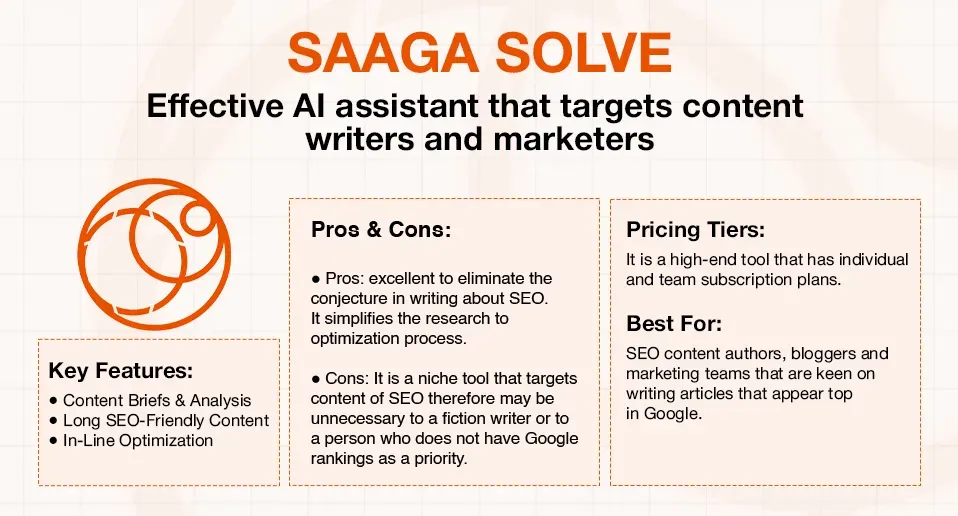
SAAGA SOLVE
SAAGA SOLVE is an effective AI assistant that targets content writers and marketers who need high rankings on search engines.
Key features: It assists in creating detailed content briefs by analyzing top-ranking content. It has AI writing features that are aimed at producing extensive, search engine-friendly content, and it can assist you in optimizing your work in the writing process.
Pros & Cons:
- Pros: excellent for eliminating the guesswork in SEO writing. It simplifies the research for the optimization process.
- Cons: It is a niche tool that targets SEO, therefore may be unnecessary to a fiction writer or to a person who does not have Google rankings as a priority.
Pricing Tiers: It is a high-end tool that has individual and team subscription plans.
Best For: SEO content authors, bloggers, and marketing teams that are keen on writing articles that appear at the top of Google.
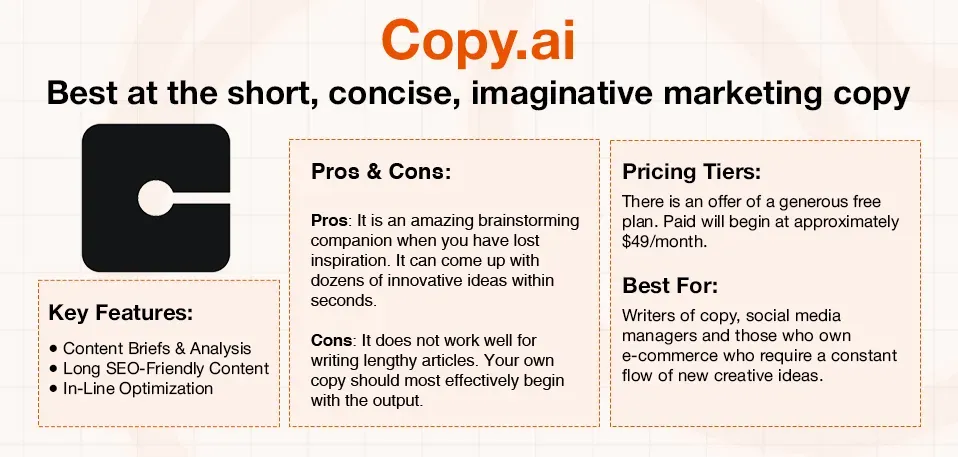
Copy.ai
SAAGA SOLVE is oriented towards long-form SEO, and Copy.ai is best at the short, concise, imaginative marketing copy.
Key features: It possesses an enormous database of templates for Facebook adverts, product descriptions, email subject lines, and social media captions.
Pros & Cons:
- Pros: It is an amazing brainstorming companion when you have lost inspiration. It can come up with dozens of innovative ideas within seconds.
- Cons: It does not work well for writing lengthy articles. Your own copy should most effectively begin with the output.
Pricing Tiers: There is an offer of a generous free plan. Paid will begin at approximately $49/month.
Best For: Writers of copy, social media managers, and those who own e-commerce businesses who require a constant flow of fresh creative content ideas for their marketing.
Editing & Proofreading Tools
This is your initial defence against misspellings and awkward sentences. As a serious writer, a good editing tool is a must.
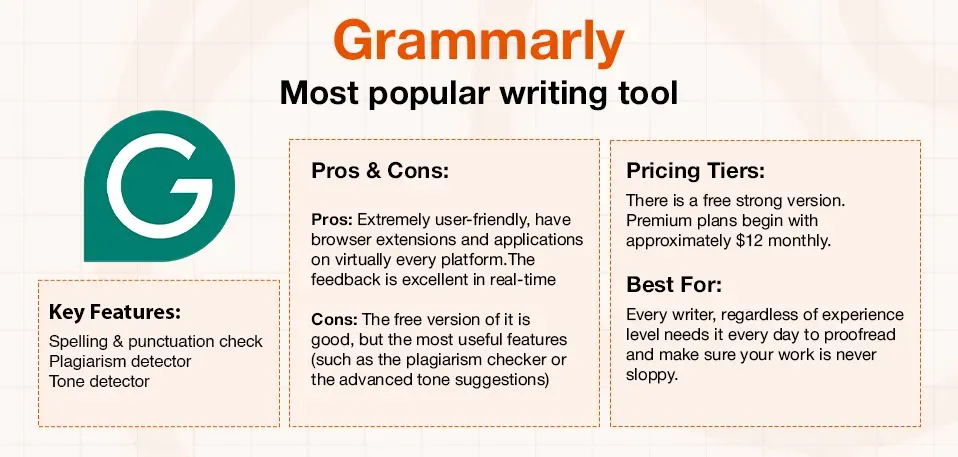
Grammarly
Grammarly is likely the most popular writing tool in this list and rightly so. It is as if you have an English teacher who is looking over your shoulder.
Key features: It has the best grammar, spelling, and punctuation checks. However, it has even more: a plagiarism detector and a rather helpful tone detector that informs you about how your writing sounds (confident, friendly, formal, etc.).
Pros & Cons:
- Pros: Extremely user-friendly, has browser extensions and applications on virtually every platform. The feedback is excellent in real-time.
- Cons: The free version of it is good, but the most useful features (such as the plagiarism checker or the advanced tone suggestions) are available behind a paywall.
Pricing Tiers: There is a fantastic free version. Premium plans begin with approximately $12 monthly.
Best For: Every writer, regardless of experience level, needs it every day to proofread and make sure their work is never sloppy.
ProWritingAid
When Grammarly is your grammar helper of the day, ProWritingAid is your in-depth editor of the manuscript. It is a powerhouse for long-form writers.
Key features: It has more than 20 different detailed writing reports, such as sentence structure, pacing, cliches, and repetition. Its style recommendations are very elaborate.
Pros & Cons:
- Pros: It is unmatched in the level of analysis it offers. It is a terrific device to enhance the art of your writing, rather than correct the mistakes.
- Cons: There are too many reports, and this may be confusing to new users. It is a deep editing tool rather than a fast proofreader.
Pricing Tiers: There is a free version that is limited. Plans that are paid begin at approximately $30/month, and a lifetime plan is awesome.
Best For: Fiction and non-fiction writers who require an in-depth, structural examination of their manuscripts.
Hemingway Editor
This isn't a grammar checker. The only thing Hemingway does is to give your writing a head and a neck and make it easy to read. And it's brilliant at it.
Key Features: It provides a grade to your text in terms of readability. It sets emphasis on lengthy and cumbersome sentences, the use of passive voice, and unnecessary adverbs, making you more straightforward.
Pros & Cons:
- Pros: It's a fantastic teacher. It is really good to use, as it will help you write clearly. The online one is free and easy to operate.
- Cons: It can be a bit rigid. There are cases when a long, complicated sentence has to be used, and Hemingway will certainly draw attention to it.
Pricing Tiers: The online editor is free. The desktop version costs $19.99 one-time.
Best For: Bloggers, content marketers, and copywriters who need to make their point clear, direct, and powerful.
Best Writing Tools for Drafting
This is where the magic happens. A nice writing program gives you the room you want to get what you think on the page, whether it is the organized chaos or the distraction-free zen garden.
Scrivener
Scrivener is the gold standard in the eyes of anyone writing a book, a thesis, or a screenplay. It is not really a word processor, but it's one of the most powerful tools for authors available.
Key features: The popular "Corkboard" allows visualizing your project using virtual index cards. Outliner is used to organize your work in general, and all your research (notes, pictures, PDFs, and so on) can be stored inside the project file.
Pros & Cons:
- Pros: Unsurpassed in the organization of large, complicated projects. The ability to compile and export to other formats (such as e-book or paperbacks) is astounding.
- Cons: It has a certain learning curve. It is almost daunting when you first open it.
Pricing Tiers: This is a one-time license fee of approximately $59.99, and a free trial period of 30 days.
Best For: Novelists, screenwriters, academics, and any non-fiction writer who is doing a large research-heavy project.
Google Docs
Sometimes, the easiest solution is the best. Google Docs is free, cloud-based, and the undisputed king as far as writing with a team is concerned.
Key features: The collaboration in real time is perfect; you can see that there are people typing and can leave comments and suggestions. It can be available on any gadget that has access to the internet.
Pros & Cons:
- Pros: It is totally free and extremely easy to access and share. The cloud-based autosaving is a lifesaver.
- Cons: It is not so perfect when working with complicated, multi-chapter projects such as a novel. It may become sluggish when using very large documents.
Pricing Levels: 100% free using a Google account.
Best For: Writing teams, freelancers working with clients, bloggers, and those who require convenient, trustworthy access to their work anywhere.
Ulysses
Ulysses is recommended to those who are already in the Apple ecosystem and are passionate about a beautiful and clean writing experience. It is meant to move out of your way and allow you to concentrate on the words.
Key features: It utilizes Markdown to format, which is clear and simple to comprehend. You can set writing goals (e.g., 500 words a day), and it works flawlessly on Mac, iPad, and iPhone.
Pros & Cons:
- Pros: The interface is just gorgeous and distraction-free. The structure and export options are quite robust.
- Cons: It is a subscription service and is only compatible with Apple devices, which is a significant disadvantage to PC and Android users.
Pricing Tiers: Subscription-based, approximately $5.99/month or $49.99/year.
Best For: Bloggers, journalists, and writers who only use Apple devices and prefer a beautiful, minimalist writing experience.
Research & Organization Writing Tools
A great piece of writing is built on solid research and well-laid structures. These tools are like your digital filing cabinet.
Evernote
Evernote had a tagline of ‘remember everything, and that is precisely what it allows one to do. As one of the classic online writing tools, it's a place to store any idea, whether it is a brief idea or a complete webpage.
Key features: The Web Clipper is a magic tool- it allows you to save articles, PDF files, and images on the Internet with one click. You are able to put your notes in notebooks and add tags so that they can be easily searched.
Pros & Cons:
- Pros: Excellent at studying and organizing unstructured research. It is compatible with all your devices.
- Cons: The free version has been extremely restricted over the last few years. The interface can also be bloated for some users.
Pricing Tiers: An extremely small free option. Paid plans have a starting point of approximately $14.99/month.
Best For: Content writers, bloggers, and researchers who require a potent tool to capture ideas and articles from multiple sources at once.
Zotero
Zotero will rescue you in case your writing requires many citations and references. It is an open-source tool that is used to do serious research.
Key features: It contains a browser connector that pulls the source data from websites and scholarly journals. Then it also assists you in handling those sources and automatically creates a bibliography depending on your citation style (APA, MLA, etc.).
Pros & Cons:
- Pros: It is free of charge, and it is open-source. It simplifies the process of organizing hundreds of sources and creating a bibliography incredibly.
- Cons: The interface is not the most intuitive or modern. It is excessive for writers who do not engage in a high number of citations.
Pricing Tiers: 100% free.
Best For: Students, academicians, and non-fiction writers who are preparing a research paper, article, or book that has a heavy reliance on references to other sources.
Productivity & Focus Tools
The biggest enemy of any writer is a distraction. These kinds of tools can assist you in winning the war for your attention.
Freedom
Freedom does exactly as the name implies: it frees you from the never-ending distraction of the internet.
Key features: It allows you to block individual websites (such as Twitter and YouTube) and even apps on your computer and phone. It is possible to plan recurring focus events.
Pros & Cons:
- Pros: It is highly effective. It blocks the distractions at the source, which in turn makes you concentrate on your writing. It is compatible with all your devices.
- Cons: It requires discipline. It is not a magic bullet for procrastination, as you can always switch it off.
Pricing Tiers: It begins at a relatively low price of around $8.99/month with lifetime and annual plans.
Best For: any writer who has a problem with procrastination and is easily distracted by social media or a news outlet.
FocusWriter
FocusWriter does not block distractions but rather opens an environment in which they do not exist. It is an uncomplicated, full-screen word processor that hides everything except the page you are writing on.
Key Features: The interface is completely stripped down, and you have your text only. It can be customized with such functions as timers, daily goals, and typewriter sounds.
Pros & Cons:
- Pros: It is absolutely free and open-source. It offers very nice and soothing writing conditions.
- Cons: It is not used to edit and format; it is only used to draft.
Pricing Tiers: 100% free (however, donations are accepted).
Best For: The person who wants to have a clean and focus-enhancing digital environment just to get the first draft ready without any distractions.
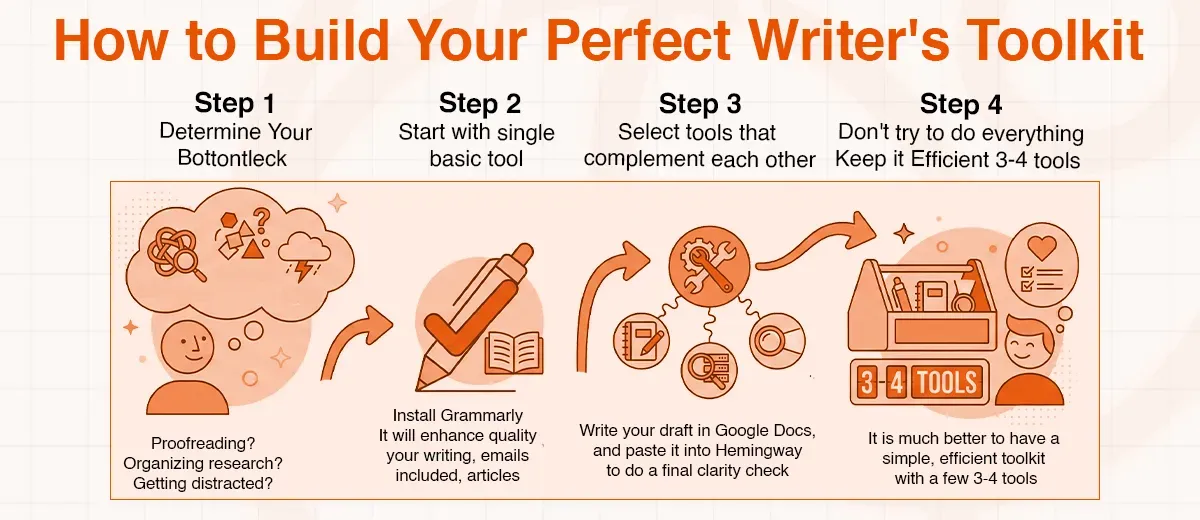
How to Build Your Perfect Writer Tools Toolkit
Feeling a bit overwhelmed? Don't be. You do not have to use all 12 of these writing tools. The idea is to create a small, effective toolkit that serves your purpose. Here's how.
- Step 1: Determine Your Biggest Workflow Bottleneck. Where do you spend most of your time? Is it proofreading? Organizing research? Getting distracted? The initial instrument you want must address the single greatest issue. This is the most important step in choosing your writer tools.
- Step 2: Begin with a single basic tool. In the case of the majority of people, it should be a decent grammar checker. My advice? Install Grammarly. It will instantly enhance the quality of all your writing, emails included, to articles.
- Step 3: Select tools that complement each other. A good toolkit is one in which the tools are complementary to each other. You could, as an example, take a research and put it in Evernote, write your draft in Google Docs, and paste it into Hemingway to do a final clarity check.
- Step 4: Don't try to do everything: More tools are not always better. It could be simple to get enthusiastic and subscribe to everything. Resist the urge. It is much better to have a simple, efficient toolkit with 3-4 tools that you are comfortable with as opposed to a dozen applications that you rarely use.
Conclusion
At the end of the day, being a writer is a matter of craft. It is your thoughts, your voice, and your storytelling capabilities. However, the right tools can be very powerful accomplices in that process.
All writers have different requirements, yet, as far as I am concerned, a good initial writer's toolkit consists of a decent grammar corrector (such as Grammarly), a convenient drafting program (such as Google Docs or Scrivener), and a mechanism to block distractions (such as Freedom).
The writer's tools will not provide you with a great idea or a unique voice. That has to come from you. What they can do is handle the tedious parts of the job, and you will be free to spend your time and mental energy creating something amazing. Now, go, put together your set of tools, and resume writing.