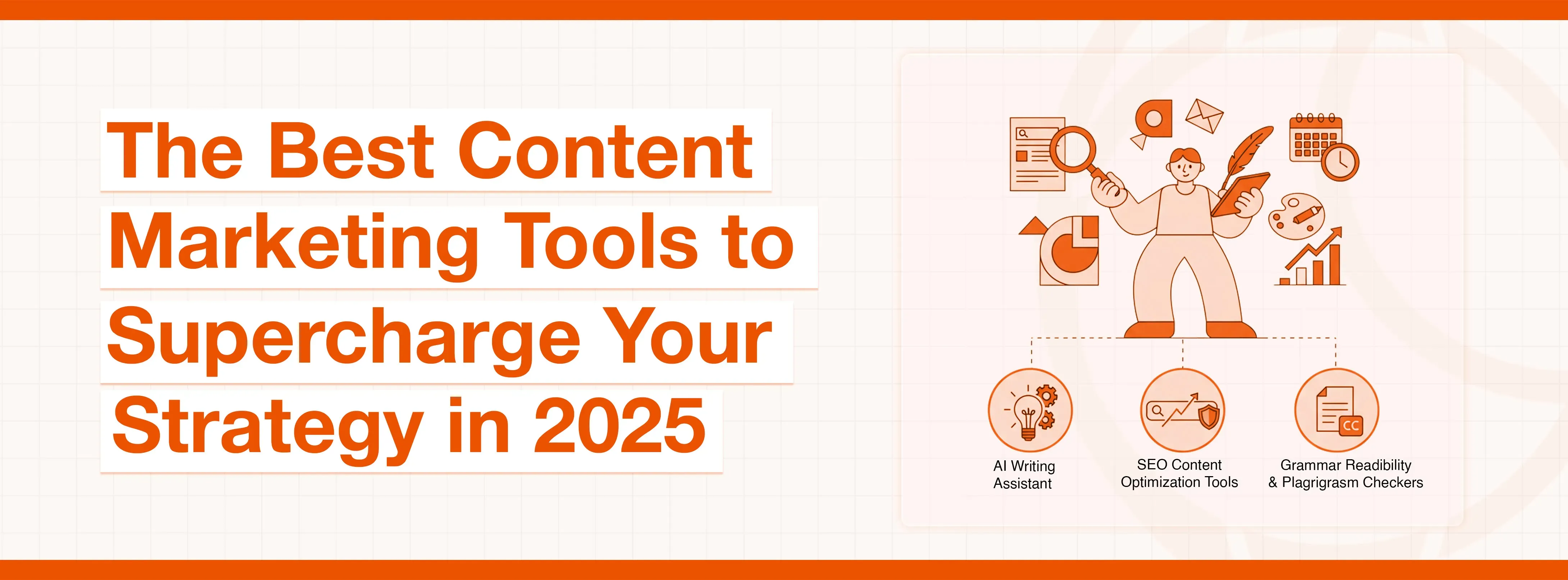
When you work in marketing, you are aware that everything is about making great content. To do everything, like research, writing, designing, scheduling, and tracking, can feel like juggling too many things at once. It is overwhelming, and, frankly speaking, it is nearly impossible to do it all manually and keep pace.
Here's why using the right tools is non-negotiable. This is where possessing a solid set of the best content marketing tools comes in. They are not nice-to-haves anymore; they are necessities. The correct software not only automates the tedious tasks, but also provides you with data to make intelligent decisions and frees you up to concentrate on what is really important: being creative and engaging with your fans. The best content marketing tools help you do just that. It's nearly impossible to succeed without them.
What This Guide Will Cover
Imagine it as your manual for developing the ideal marketing toolkit. We are going to cut through the clutter and isolate the absolute best content marketing tools by category. On each of them, we will address the main features, advantages and disadvantages, cost, and who it is really most suitable for. Let's dive in.
Understanding Your Needs for Content Marketing Tools
You should consider finding out what you need before you start registering for a myriad of free trials. Particularly, it is very easy to be distracted by cool features you will never actually use.
Identifying Your Workflow Gaps
Take a look at the process you are doing. Where are the bottlenecks?
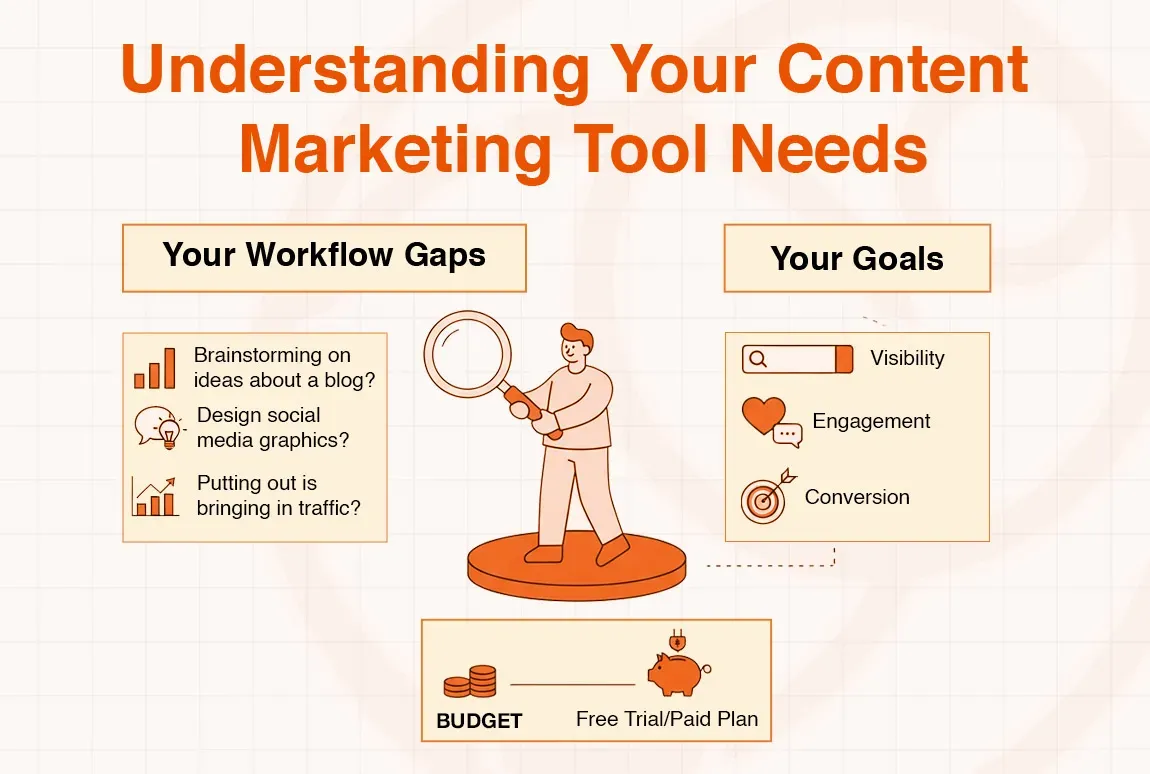
- Do you waste excessive time brainstorming ideas for a blog?
- Is designing social media graphics a huge pain point?
- Are you even aware whether what you are putting out is bringing in traffic?
Identifying these areas of weakness will give you the specific areas where a new tool might have the greatest impact.
Aligning Tools with Your Goals (Visibility, Engagement, Conversion)
What is your key objective at the moment?
- Visibility: You must have the best search and SEO tools.
- Engagement: seek excellent social media management and visual content tools.
- Conversion: Attention to email marketing and user behavior analytics tools.
Don't simply pick the tool because it is a popular one, but ensure that it can directly assist with achieving your targets.
Budgeting for Your Tech Stack to build a powerful toolkit using some of the best content marketing tools
Admit it, these tools may be rather costly. Calculate how much you can spend every month. The positive thing is that there are some wonderful free and low-cost solutions available, and you do not require an enormous budget to create a powerful toolkit.
The Best Content Marketing Tools for SEO & Keyword Research
The basis of content marketing is SEO. If people can't find your content on Google, it might as well not exist. These tools help you get seen.
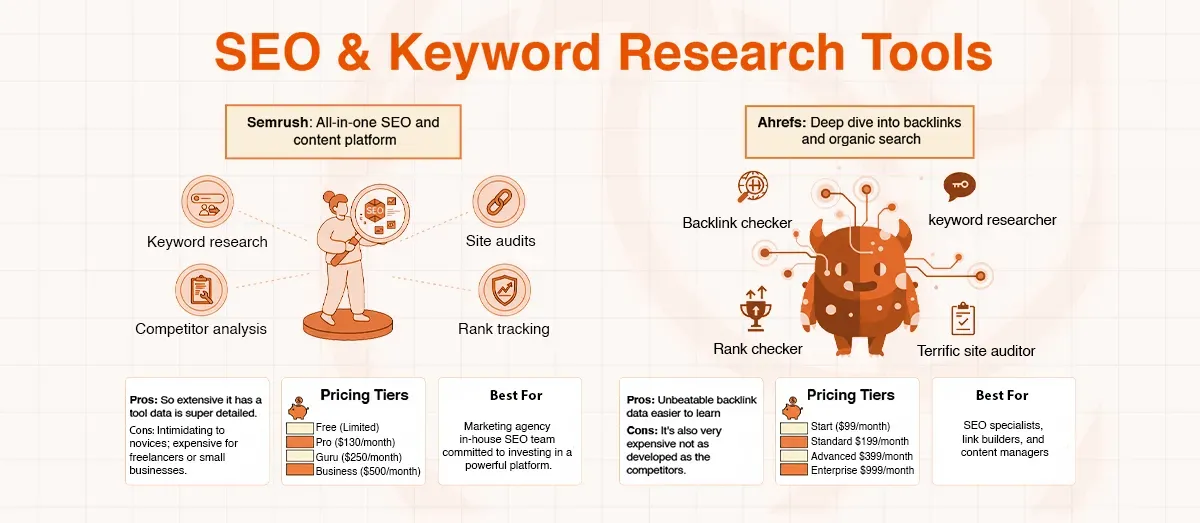
Semrush: All-in-one SEO and content platform
Semrush is the Swiss Army knife of SEO. It is a bit of everything, and it is a good bit of everything. It's a go-to for a reason.
Key Features: Keyword research, competitor analysis, site audits, rank tracking, backlink analysis, and even social media and PPC tools.
Pros & Cons:
- Pros: So extensive, it has a tool to suit nearly all marketing jobs. The data is super detailed.
- Cons: It can be intimidating for beginners. It is rather expensive for freelancers or small businesses.
Pricing Tiers: Begins with a free (but limited) plan. Pro plans cost approximately $130/month, Guru plans $250/month, and Business plans $500/month.
Best for: marketing agencies that have an in-house SEO team, and you are committed to investing in a powerful all-in-one platform, making it one of the best content marketing tools for agencies.
Ahrefs: Deep dive into backlinks and organic search
Ahrefs is known to possess the best database of backlinks in the game. In case knowing who is connecting to you (and your competitors) is your primary aim, Ahrefs is a monster.
Key Features: Backlink checker (Site Explorer), awesome keyword research tool (Keywords Explorer), rank checker, and terrific site audit tool.
Pros & Cons:
- Pros: Unbeatable backlink data. To me, the user interface looks clean and easier to learn than that of Semrush.
- Cons: It's also very expensive. Other aspects, such as their social media tools, are not as developed as their competitors.
Pricing Tiers: No free plan. There are four plans, starting with Lite $99/month, Standard $199/month, Advanced $399/month, and Enterprise $999/month.
Best For: SEO specialists, link builders, and content managers who are hyper-focused on organic search and backlinks.
Google Search Console & Google Analytics: Free essentials for performance tracking
These two are non-negotiable. They are free Google tools that provide you with the answer to how your site is performing and who is visiting.
Key Features:
- Search Console: Monitors your site's position on the keywords you are ranking on, indicates the technical errors on the site, and it also monitors the site's overall health.
- Analytics: Displays the amount of traffic that you receive, the origin of the traffic, who is using your site, and how they are interacting with it.
Pros & Cons:
- Pros: They're completely free. The statistics are the direct ones provided by Google, thus the most accurate ones.
- Cons: They are not useful in terms of competitor research and locating new keywords. The new GA4 interface is difficult to learn.
Pricing Tiers: 100% Free.
Best For: Everyone. These two tools are imperative to use in case you are a website owner. No excuses.
Exploding Topics: Discovering emerging trends
This one is cool as it is not so much about what is popular now, but what will be popular in the future. It assists you in being ahead of the curve.
Key Features: The features identify the trending topics, products, and keywords before they become mainstream. You are able to sort by category and time period.
Pros & Cons:
- Pros: Super simple to use. Excellent at locating low competition blogging topics that have high potential.
- Cons: It is not a classic keyword research tool - it will not provide you with search volume or difficulty scores.
Pricing Tiers: It has a limited free version. Pro plans begin at approximately $39/month (charged yearly).
Best For: Bloggers, content strategists, and entrepreneurs seeking the next big thing to discuss.
Content Creation Software and Writing Tools
After you have your ideas and keywords, you have to create the content. These content writing tools make the process faster and better.
SAAGA SOLVE (AI Writing Assistant): AI-powered content generation
It is among the more potent AI writing applications that I have encountered. It is designed to produce quality and long-form content, not just short snippets.
Key Features: Long-form articles with multiple AI models, numerous templates to choose from when creating various types of content (blogs, emails, ads), and functions that assist with brand voice and tone consistency.
Pros & Cons
- Pros: The quality of its long-form work is seriously good. It is a massive time-saving tool when it comes to first drafts.
- Cons: It requires a human being to check and correct, just like any other AI. It is somewhat expensive when you are just setting up.
Pricing Tiers: Generally, it has tiered pricing plans depending on the number of words.
Best For: Content marketing teams, bloggers, and freelancers who require producing a substantial volume of written content and of high quality as efficiently as possible.
Hemingway Editor: Enhancing readability and clarity.
It is like having a stern editor sitting behind your back. It simplifies, boldens, and clears up your writing.
Key Features: Points out long and complex sentences, passive voice, adverbs, and complex words. It provides a readability score on your text.
Pros & Cons:
- Pros: Forces you to be a more concise and direct writer. The web version is free and very easy to operate.
- Cons: It may be too simplistic- not all long sentences are bad sentences. It does not test grammar and spelling.
Pricing tiers: The online editor is Free. A one-time payment of $19.99 for the desktop app.
Best For: Recreational and professional writers who wish to write more clearly and effectively. It is a necessity when it comes to final edits.
Grammarly Business: Ensuring grammar, style, and brand consistency
Grammarly is far more than a mere spell checker. The business edition is a strength to maintain the writing of the whole team on brand and professional.
Key Features: Grammar and spelling check, plagiarism checker, tone settings, and a feature of a style guide to impose company-specific writing rules.
Pros & Cons:
- Pros: Catches far more errors than regular spell checkers. The style guide is fantastic for teams. Integrates everywhere (browser, desktop, etc.).
- Cons: The free version is excellent, but the finest functionality is paid. It may even offer recommendations that are out of context.
Pricing Tiers: Free plan for the basic checks. Premium costs approximately $12 a month. Business costs begin at $15/member/month.
Best For: This would be best suited to any business or team that needs to make sure all of their written communication, whether emails, blog posts, etc., is professional and consistent.
Visual Content Tools and Design Software
People like visually appealing content. In case your text is nothing but a wall, you are losing them. It is easy to produce amazing visuals with the help of these tools, even when you are not a designer.
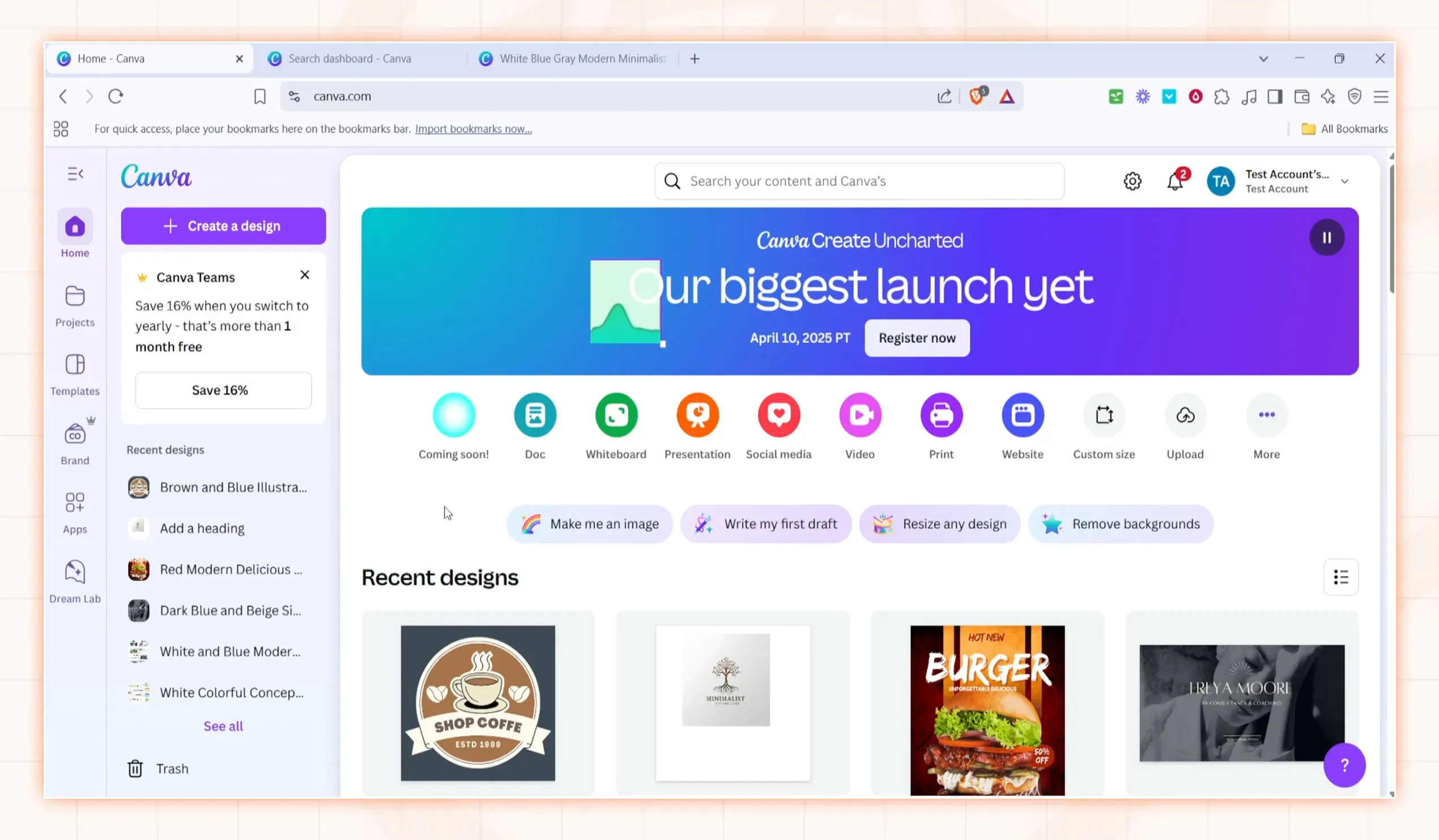
Canva: User-friendly graphic design for everyone
Honestly, Canva is a lifesaver. It has brought graphic design within the reach of all by itself. I have done everything with it, including side hustle class presentations and even social media posts.
Key Features: an enormous collection of templates to use with social media, presentations, posters, etc. drag-and-drop editor, stock photos, and a limited amount of basic video editing.
Pros & Cons
- Pros: Insanely easy to use. The free version is extremely generous and strong enough for the majority of people.
- Cons: Since it is very popular, it can be easy to identify a Canva template. It can be too limiting for professional designers.
Pricing Tiers: Awesome Free plan. Pro is around $15/month, and Teams is about $30/month for the first 5 people.
Best For: Everyone. Seriously. Marketers, students, small business owners, freelancers... You cannot live without Canva in your life.
Mixkit / Snappa: Free stock videos and easy image creation
You only require a high-quality, quick video clip or a simple graphic sometimes. Mixkit is excellent with free video materials, and Snappa is a very good and easy alternative to Canva.
Key Features
- Mixkit: Free and massive stock video clips, sound effects, and music library.
- Snappa: Fast and easy image editor, templates, and is fast.
Pros & Cons:
- Pros: They are both very quick and convenient. Mixkit is free, providing high-quality video, which is amazing.
- Cons: They do not have such huge libraries as the paid stock sites. Snappa does not have as many features as Canva.
Pricing Tiers: Mixkit is Free. Snappa is free, and then paid plans start at $10/month.
Best For: Content creators who need fast, free visuals but do not want to learn a complex tool. Perfect for sprucing up blog posts and social media.
Social Media Marketing Tools
Being in charge of five social media accounts is a recipe for burnout. These tools will allow you to have all your accounts in a central location; therefore, you are able to schedule posts, comment back, and see what is working without losing your head.
Hootsuite: Comprehensive social media scheduling and monitoring
One of the oldest and most famous social media dashboards is Hootsuite. It is a real heavyweight in terms of running a bunch of profiles simultaneously.
Key Features: Share on all the leading platforms, a single inbox with all your mentions and DMs, in-depth analytics, and social listening feeds to track keywords.
Pros & Cons:
- Pros: Supports a very large number of social networks. Listening streams of the brands is so powerful. Great for teams.
- Cons: The interface is somehow dated and messy. It can be very costly within a short period of time when you start adding users or accounts.
Pricing Tiers: Has a limited free plan. Professional plans begin at $99/month, and a Team plan costs $249/month.
Best For: Bigger companies and marketing agencies that require one powerful dashboard to run a complicated social media presence.
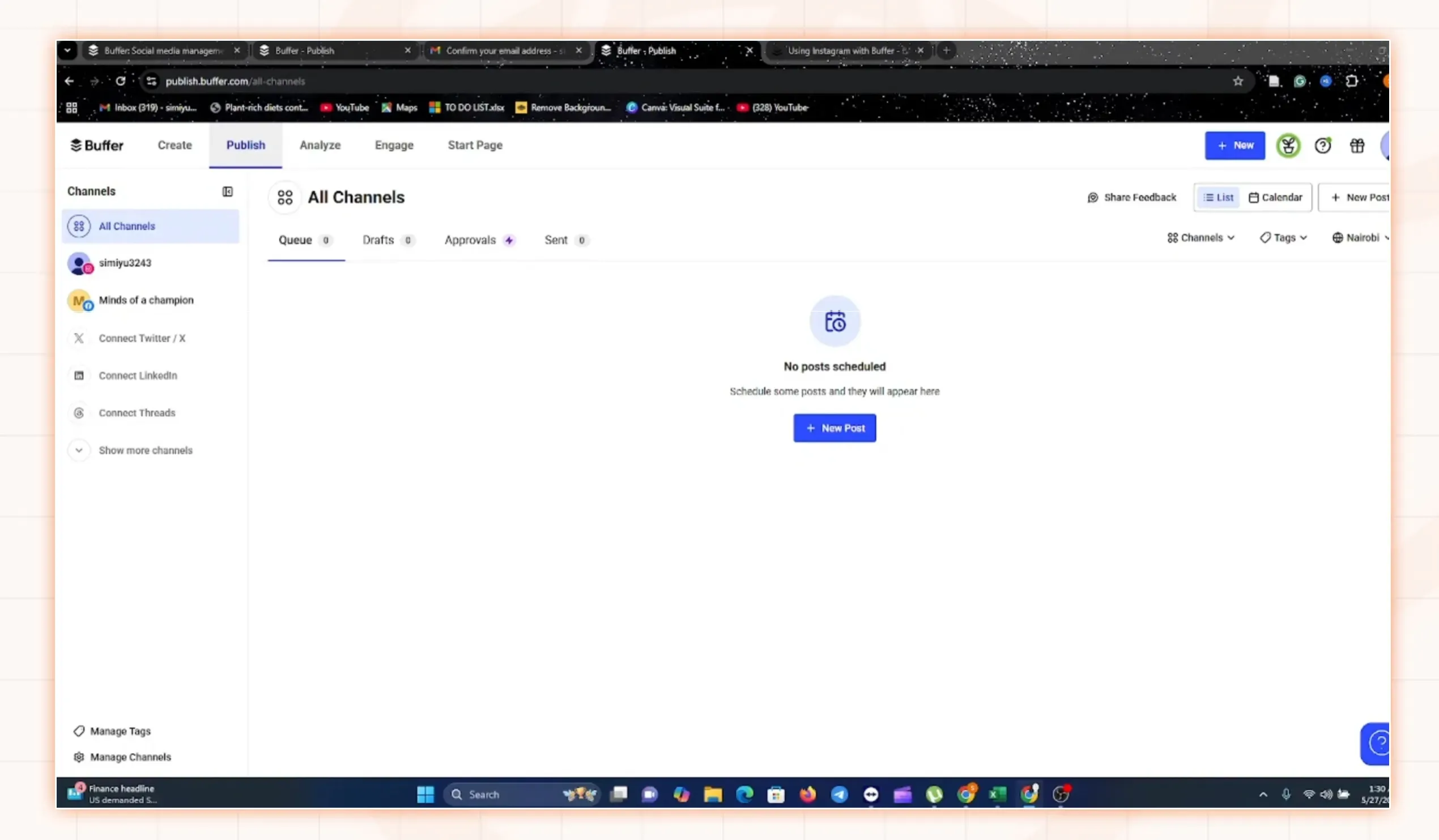
Buffer: Simplified social media scheduling and analytics
Buffer is your friend in case Hootsuite is too much. It is characterized by its straightforward, easy-to-use, and clean design that ensures that it is easy to schedule its content.
Key Features: A Simple content scheduler that has a visual calendar, a content ideas section to save content, and simple analytics reports.
Pros & Cons:
- Pros: User-friendly and clean. The free plan is excellent for individuals. Good to concentrate on the publishing and scheduling only.
- Cons: Weaknesses in monitoring and engagement than Hootsuite. The analytics are somewhat primitive on the lower-level plans.
Pricing Tiers: Provides an excellent Free service up to 3 channels. It has paid plans, which begin at $6/month/channel.
Best For: Small businesses, freelancers, and content creators seeking an easy, no-frills approach to scheduling their social media content ahead of time.
BuzzSumo: Content discovery and influencer identification
BuzzSumo is a bit different. It is not so much about planning as research. It will assist you in discovering what is doing well in your niche and who the influential ones are.
Key Features: Discover the most-shared content on any subject, discover what is trending, find the best authors and influencers, and track brand mentions.
Pros & Cons:
- Pros: Perfect for generating content ideas that people are already interested in. Best at identifying influencers to work with.
- Cons: It is extremely costly in relation to that. It is a research tool, but not a complete social media management platform.
Pricing Tiers: Has a limited free plan. Paid plans are expensive, and they begin at $199/month.
Best For: Content strategists and SEOs who should have data-driven concepts in their content calendar, and those who would like to conduct influencer marketing campaigns.
Content Optimization Tools & Analytics
These tools will assist you in improving your content before posting, and you will also get to know how people are engaging with it after it has been posted.
Page Optimizer Pro (POP) / Surfer SEO: On-page SEO content optimization
Some of the best content marketing tools for these platforms, such as Surfer SEO, are essential for success. They find the best results on Google with your keyword and provide you with a data-driven checklist of what you should write in your article.
Key Features: Content editor that will provide you with a real-time score of your SEO, recommendations of keywords to use, recommended word count, number of headings, and images.
Pros & Cons:
- Pros: Takes the guesswork out of on-page optimization.Helps you write more comprehensive content as compared to your rivals.
- Cons: It can be easy to just "chase the score" and become a robotic writer. Nevertheless, it still needs a human touch.
Pricing Tiers: Surfer SEO is available at a starting price of approximately $89/month.
Best For: SEO-oriented bloggers, freelance writers, and content teams who need to guarantee that every article they do is presented with the highest quality opportunity to rank.
HotJar / SquidVision: Understanding user behavior with heatmaps and session recordings
Have you ever wondered what people are actually doing on your site? These tools show you. It's like looking over your user's shoulder.
Key Features: Heatmaps to understand where users are clicking, scroll maps to understand how deep they are reading, and session recording to understand full user paths.
Pros & Cons:
- Pros: Provides incredible insights about what is (and what is not) working on your site. Assists you in optimizing your pages to get conversions.
- Cons: Sometimes it can feel a bit "Big Brother."It requires a reasonable volume of traffic to achieve meaningful data.
Pricing Tiers: Both offer Free plans on low-traffic sites. HotJar has paid plans that begin at approximately $40/month.
Best For: Owners of websites, marketers, and UX designers who are concerned with knowing user behavior and using the information to enhance their site design and conversion rates.
The Best Email Marketing Tools
Email remains one of the most effective marketing channels. An email list is a necessity, and such tools can assist you in managing and expanding the email list.
Mailchimp: Beginner-friendly email campaigns and automation
Probably the most famous email marketing tool, and particularly among novices, is Mailchimp. It simplifies the act of sending beautiful emails.
Key features: Drag and drop email generator, audience building, simple automation, and landing page development.
Pros & Cons:
- Pros: user-friendly and excellent interface. The free plan will be ideal when you are only beginning to build your list.
- Cons: Pricing becomes very high within a short time when you have a growing list. Its automation capabilities are underdeveloped as compared to rivals.
Pricing Tiers: Excellent Free plan of up to 500 subscribers. Paid plans start at $13/month.
Best For: Basic and simple business people who want to use a simple and reliable tool to initiate email marketing.
AWeber: Reliable email marketing for newsletters and campaigns
AWeber is an old company that has garnered a reputation for reliability and is well-supported by the customer-care team. It is a platform that is solid and straightforward.
Key Features: The templates of emails and newsletters, campaign automation, a landing page creator, and a vast library of stock pictures.
Pros & Cons:
- Pros: Extremely reliable email deliverability. 24/7 customer support is a massive advantage. Simple and easy to use.
- Cons: The interface is slightly less modern than the competitors. It is a little more costly than other entry-level tools.
Pricing Tiers: Free subscription of up to 500 subscribers. Paid plans start at around $15/month.
Best For: Small companies and bloggers seeking quality customer service and a no-frills, no-nonsense email platform.
Video Marketing Tools & Collaboration
Video content is huge, but it can be a pain to create and watch. These are tools to simplify the entire procedure.
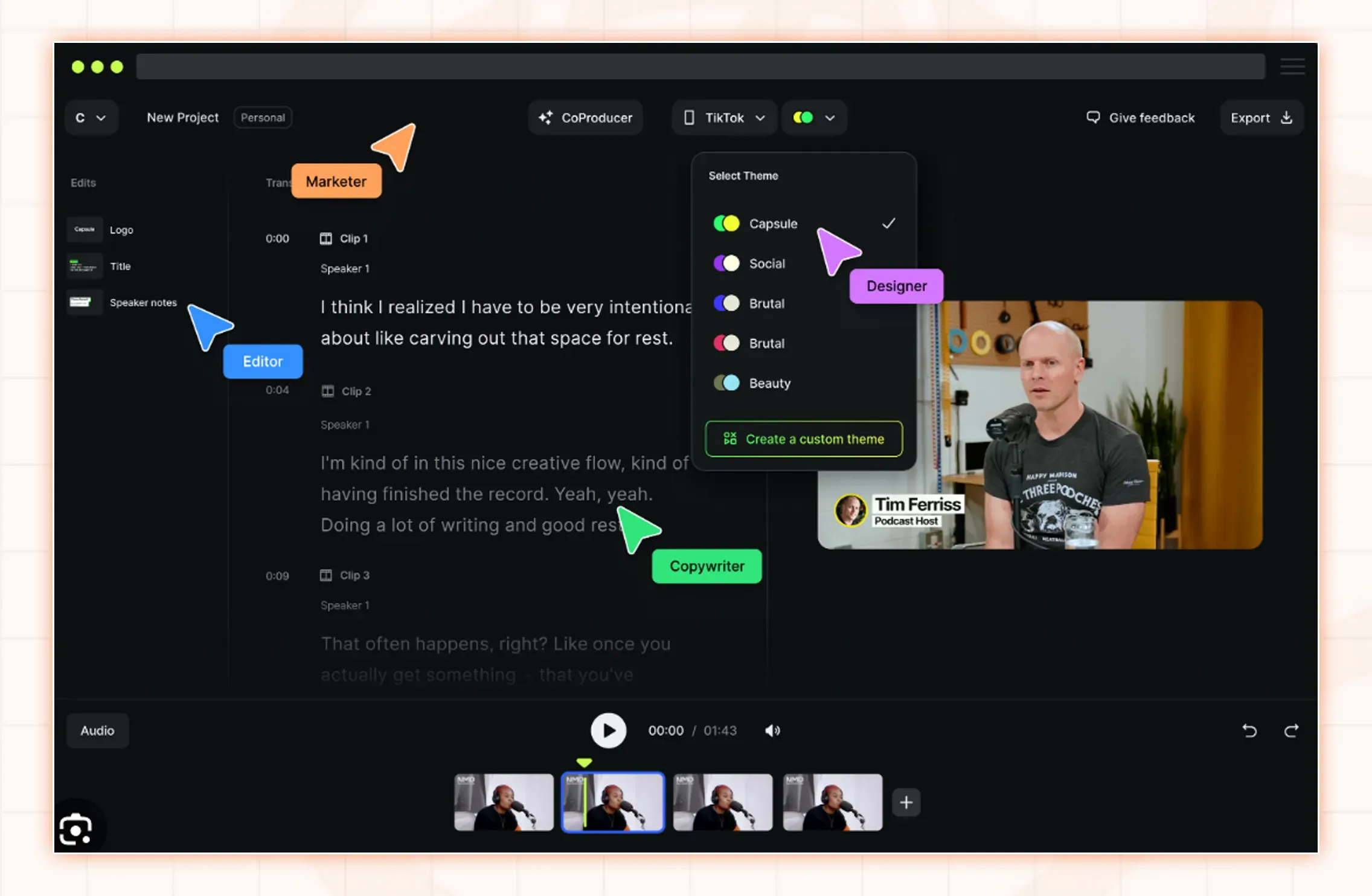
Capsule: AI-powered video editing for marketers
Capsule is a fresh, contemporary video editor that takes advantage of AI to make video editing simpler and quicker for people who aren't professional video editors.
Key Features: AI-based editing (e.g., automatically identify the best takes), online teamwork, and simple branding features.
Pros & Cons:
- Pros: It is incredibly user-friendly and is market-oriented rather than filmmaker-centered. The AI features may be a massive time-saving tool.
- Cons: Not as powerful or feature-rich as the standard video editors, such as Adobe Premiere Pro. Most suitable for short marketing videos.
Pricing Tiers: Provides a free subscription to short videos. Paid plans start at around $20/month.
Best For: The marketing teams and content creators who require making professional-looking video content on social media without investing in an expensive learning curve.
Frame.io: Streamlining video feedback and collaboration
You are familiar with how messy feedback can be when you are working on videos with a team or a client (at 2:15, can you change that thing). Frame.io solves this.
Key Features: Let commentators place comments with time stamps and sketch on the video screen. Comes with integration with professional editing software.
Pros & Cons:
- Pros: Makes it remarkably easy and efficient to review the video. A total game-changer for collaborative projects.
- Cons: It is a specialized software, which means that it is an additional cost to your editing program.
Pricing Tiers: Offers a Free plan with 2 projects. Paid plans start at $15/user/month.
Best For: Video production teams, marketing agencies, and anyone who needs to get feedback on video projects from a number of individuals.
How to Choose the Best Content Marketing Tools for Your Business
Okay, that was a lot. So how do you actually pick? Here's a quick checklist.
- Evaluation of Your Team Size and Structure: Are you a lone freelancer or a 20-person team? There are those tools that are designed for teamwork and others that are individual.
- Evaluating Your Budget & ROI: Be sensible when it comes to expenditure. Always attempt to estimate the payback on an investment- in the example in which a 100/month tool would save you 10 hours of work, it would likely be worth it.
- Considering Technical Proficiency & Learning Curve: Be honest about your tech skills. Select the tools that are comfortable to you. You would never want to spend money on a super-powerful tool that you don't know how to use.
- Matching Tools to Specific Marketing Objectives: Return to your goals. Select the tools that are directly related to the problems you have outlined in the beginning.
- The Scalability and Importance of Integrations: Reflect on the future. Select tools that will expand with you and integrate with the other software you are already using.
Conclusion
Assembling your tech stack is a continuous process. You do not need to purchase all of what is on this list today. Begin with the basics, master the basics, and then introduce other tools as you progress with your requirements.
We have discussed the basics: SEO to be discovered, creation tools to create great content, visuals and videos to engage the audience, social networks to distribute your content, and analytics to trace your progress. Most of these categories contain at least a tool in a good stack.
My best advice? Begin with the free tools. Install Google Analytics and Google Search Console. Register for the free plans of Buffer, Canva, and Mailchimp. That in itself is an overpowering initial point which costs you nothing. Based on this, you can guess where you should invest in a paid tool.
The future is all about AI and integration. The tools will become smarter, and they will communicate with each other in a smoother manner and will also do more to automate the entire content lifecycle. It is a dynamic period, and knowing the best content marketing tools will see you ahead of the pack.