Are you also looking for free AI tools that can help you do anything you want from them? If yes, you are at the right place. I will guide you about the best SEO tools so you can integrate them into your workflow. I have spent over 3 years working with artificial intelligence tools and helped 100's of people get started with AI.
I can say with confidence that you don't need to spend much money to harness the power of artificial intelligence. In fact, some of the most powerful AI tools that I use daily are completely free.
I do remember when I started exploring AI in 2022, and made enough mistakes in 3 years to learn in depth. The landscape was vastly different then. Today, I look at it and think about how accessible and powerful free AI has become. Let me share everything with you that I've learned about getting the most out of free artificial intelligence tools.
Before I tell you about the best free AI tools, I want you to know about a tool that has truly changed my experience.
SOLVE by SAAGA
SOLVE by SAAGA is my first and last choice if you can spend a bit on it. I have tested paid tools along with free ones and found this one the best among all.
- First of all, it's all in one
- Includes every available AI Model.
- You can generate literally anything you want
- You can create agents within the app
- It has Claude 4.1 opus, ChatGPT 5, Qwen series, and many more
- Offers a very reasonable price
- Offers a generous free tier.
This is why I love using it. This is highly recommended, as I have found it to be the best among all those tested.
What is Free Artificial Intelligence and Why Should You Care?
Free artificial intelligence refers to AI-powered tools, platforms, and services that you can use without spending a single penny on them. Many of these tools are professional and capable of doing research, analyzing data, and doing all that you need. I've tested over 100 free AI tools in the past year alone, and these are the best out of them. The free version of many AI services often provides more value than premium tools from just a few years ago.
The Best Free Artificial Intelligence Tools I Actually Use
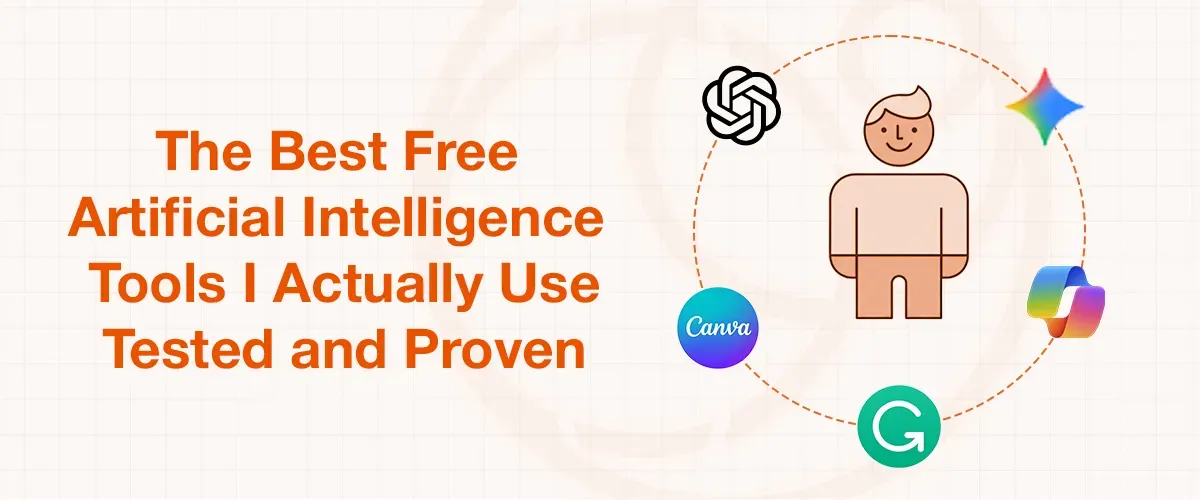
1. ChatGPT
I personally use ChatGPT for handling my daily tasks, and its free version has been my choice for brainstorming, writing assistance, and problem-solving. While the free version comes with some limitations, it handles 90% of my daily AI needs that most of the other tools can't.
This is why I love it:
- It has natural conversation flow
- Performs excellently for content creation and editing
- Proves itself great for learning new concepts
- There are no daily usage limits
- But it can be slower while handling heavy data.
2. Google Gemini
When suggesting the best tools and excluding Google’s Gemini will not be fair at all. I discovered Google Gemini has become incredibly powerful for research tasks. I use it whenever I need real-time information or want a different perspective on complex tasks.
3. Microsoft Copilot
I integrate Copilot into my daily workflow through the Edge browser. It's particularly useful when I need to summarize long articles or generate quick insights from web content.
4. Canva AI
If you are looking to create a lot of visual content, Canva's free AI features are surprisingly useful. Throughout my experience, these free features did 90 percent of my work. I use it for:
- Quick logo designs
- Social media graphics
- Presentation layouts
- Basic image editing
5. Grammarly
Most AI users do not mention Grammarly while talking about the best free AI tools. Grammarly can operate everywhere when you activate it. It would correct all of your grammatical mistakes while writing an article, research paper, blog post, or anything else. I recommend Grammarly to everyone I mentor.
Free Generative AI Tools That Work Best
As I have told you, I spent months testing various generative AI platforms, and these free tools consistently delivered quality results.
For Image Generation:
- DALL-E 2 Free version: I get 15 free images monthly, and it is perfect for blog illustrations
- Canva Text-to-Image: You can find it in Canva's free plan
- Microsoft Designer: Proves to be an excellent tool for social media graphics
For Code Generation:
- GitHub Copilot for Students: It is free with student verification, and you will find it a good coding partner.
- Replit AI: This has proven itself as a great tool for quick coding projects. You can also use it to build working websites, games, and apps. Its free version offers 10 deployments.
- CodePen AI: This has also been in my personal use, and I would say it is useful for web development experiments.
How to Get Started with Free Artificial Intelligence Tools (My Step-by-Step Approach)
After guiding hundreds of beginners, I've developed a method for getting started:
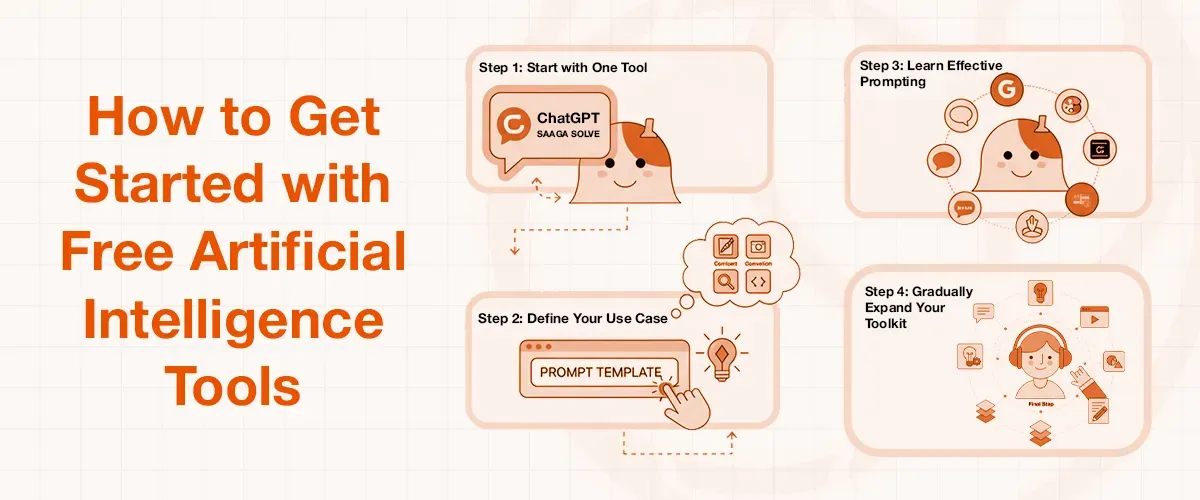
Step 1: Start with One Tool
I always recommend beginning with ChatGPT, and if you can afford a bit, you must go with SAAGA SOLVE (SOLVE BY SAGA). It's user-friendly and helps you understand how AI communication works.
Step 2: Define Your Use Case
Ask yourself this question: What do I want to accomplish?
If you ask for my experience, I categorize my AI usage into:
- Content creation
- Research and analysis
- Image generation
- Code assistance
- Data organization
Step 3: Learn Effective Prompting
If everyone is saying to use AI SEO tools but not suggesting you learn how to prompt, they are fooling you. I spend time teaching people how to communicate with AI effectively. Good prompts get better results. A prompt is like the backbone of the topic you are researching. If your prompt is effective, the model will definitely produce unbelievable results.
Step 4: Gradually Expand Your Toolkit
Once you feel that you are comfortable with one tool, I would suggest adding complementary ones based on your specific needs. Use the tools that I have listed.
Free Artificial Intelligence Tools I Keep on My Phone
I've tested so many mobile AI apps. These free ones have stayed permanent on my devices:
- ChatGPT Mobile App - For on-the-go conversations
- Google Assistant - Enhanced with AI capabilities
- Microsoft Copilot App - Productivity features anywhere
- Grammarly Keyboard - Real-time writing assistance
- Adobe Express - Free AI-powered design tools
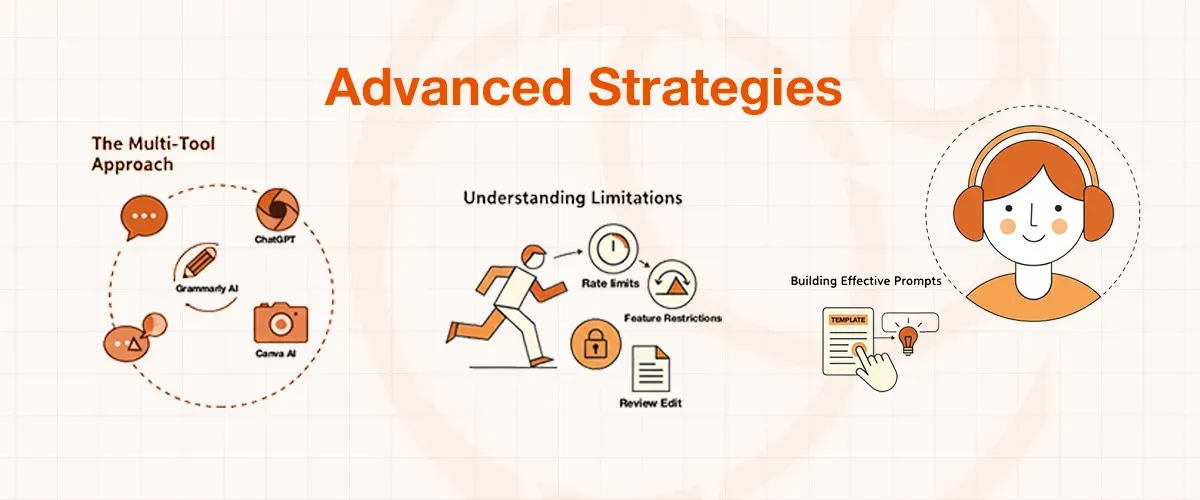
Maximizing Free AI Tools: Advanced Strategies I've Learned
The Multi-Tool Approach
I never rely on just one AI tool. I combine them strategically:
- Use ChatGPT for initial ideation
- Refine with Grammarly
- Create visuals with Canva AI
- Fact-check with Google Gemini
Understanding Limitations and Workarounds
Every free tool has restrictions. I've learned to work within these constraints effectively:
- Rate limits: I space out heavy usage
- Feature restrictions: I focus on core functionalities
- Quality variations: I always review and edit AI output
Building Effective Prompts
After thousands of interactions, I've developed prompt templates that consistently work well with free AI tools because I think that, by prompting effectively, I will always deliver good results.
Common Mistakes I See People Make (And How to Avoid Them)
Expecting Perfection:
AI tools are assistants, not replacements for human judgment, so don't expect perfection from them.
Not Iterating:
I always refine my prompts and requests based on initial results. Coping and pasting won't help you achieve intended results.
Ignoring Privacy:
This is the most common mistake I even see in professional users as well. I never input sensitive information into free AI tools.
Over-relying on One Tool:
I know if one tool provides you with better information, you would always choose the same one. But using different methods for different purposes gives better results and protects against service changes. But, to be honest, I have been in the field for over 3 years, and now a single tool named Saaga Solve has replaced every tool that I previously used.
The Future of Free Artificial Intelligence: What I Predict
Based on current trends and my industry experience, I expect free AI tools to become even more powerful. Companies are using free tools to build user bases, which means we'll likely see:
- More sophisticated free features
- Better integration between tools
- Improved mobile experiences
- Enhanced multilingual support
Conclusion
After 3 years of working with AI technology, I'm convinced that free artificial intelligence tools are democratizing access to powerful capabilities that were once exclusive to tech giants. Whether you're a student, professional, or curious enthusiast, these tools can significantly enhance your productivity and creativity.
Start small, then experiment often, and don't be afraid to try new approaches. The AI revolution is here, and the best part about it is that you can join it without spending a penny.