I was sitting at my computer late one Thursday night, looking at my campaign dashboard and feeling sick about losing money again, when I noticed something in the numbers that nobody had ever pointed out to me before during all those agency meetings. The data in my account was showing me clearly that 73% of my ad spend had been going to keywords that never brought me even one single sale in six whole months of running those ads continuously, which was basically just throwing money away every day.
This discovery made me realize right then that I needed a proper SEM optimizer tool that could find these expensive problems automatically, instead of me spending hours every week looking through complicated spreadsheets while trying to figure out what was going wrong with my campaigns.
The first software search engine marketing platform I tried connected to my Google Ads account and analyzed everything in less than twenty minutes, revealing twelve major problems that had been wasting my money every day without my knowledge. This change actually saved my business from closing because I had been getting ready to stop all paid advertising completely and give up on ever making it work in a way that actually made me money instead of constantly losing it month after month.
What a SEM Optimizer Tool Does for Your Campaigns
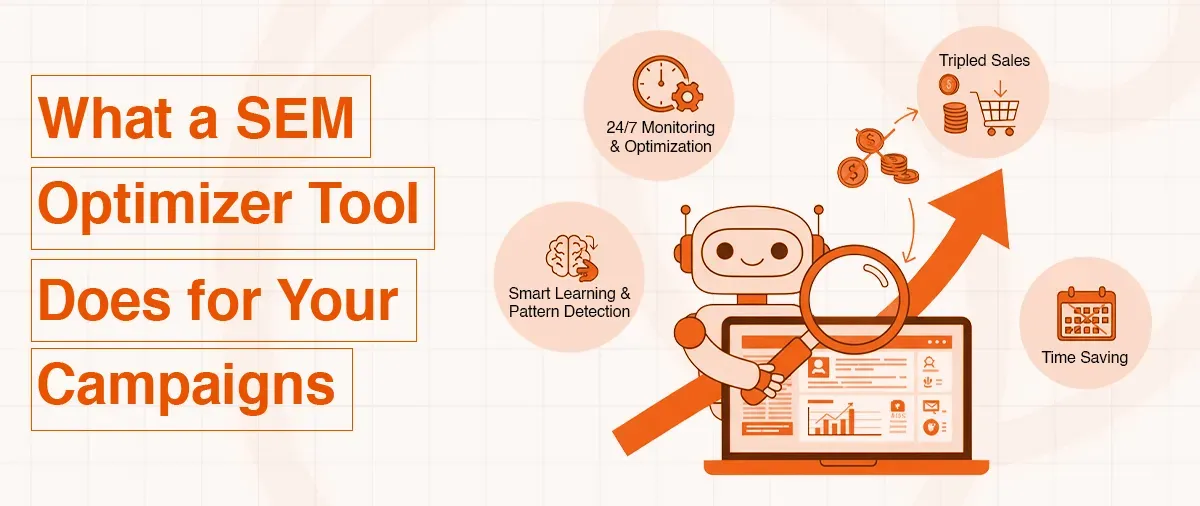
A SEM optimizer is a software tool that connects to your paid advertising accounts, such as Google Ads or Bing Ads, and identifies ways to improve your campaigns while reducing spend to acquire customers.
These tools analyze many aspects of your account, such as which keywords are wasting your money without driving sales, which ads are getting clicks but not purchases, and which times of day are most effective for reaching people who actually buy. What prices you should bid for each keyword that you target, plus hundreds of other small factors that all affect whether your ads make you money or lose you money every single month that you run them.
The normal way of managing your campaigns by yourself misses these problems because you simply cannot look at thousands of numbers fast enough to catch the issues. Before they have already wasted too much of the advertising budget that you worked hard to save for your business. The best software search engine marketing platforms work all day and all night, watching your campaigns every single minute while making small changes that add up to big savings over the weeks and months that you continue to run your ads.
They learn something new from every click on your ads, every sale through your website, and every person who visits your site after clicking. They identify patterns that show what is working well and what is wasting your money without delivering results.
Using a SEM optimizer tool helps you save money today by pausing the bad keywords quickly before they waste more of your budget tomorrow, raising your bids on the good keywords that actually bring you sales from real customers right now, and showing your ads at the exact times when your target customers are online and ready to buy things instead of showing them when people are sleeping or busy with work.
I tested eleven different platforms over seven months, where I was trying everything that people said would optimize my campaigns better than what I had been doing. The testing taught me that these tools work like having an expert who manages your campaigns twenty-four hours every day and makes changes based on what the actual data shows is happening, instead of just guessing what might work, like most people do when they manage campaigns.
The main good thing about using these tools instead of managing everything yourself comes from how fast they work and how they can test many different things at the same time that you could never do by yourself. A person might test three different ways of bidding over two weeks to see which one costs less money for each sale they get. A SEM optimizer tool tests thirty different combinations every single day while it learns which exact settings work best for your specific business and your specific customers who buy from you.
This explains why businesses that use these tools always spend less money on advertising while getting more customers compared to businesses that manage everything by hand and just hope things will work out somehow.
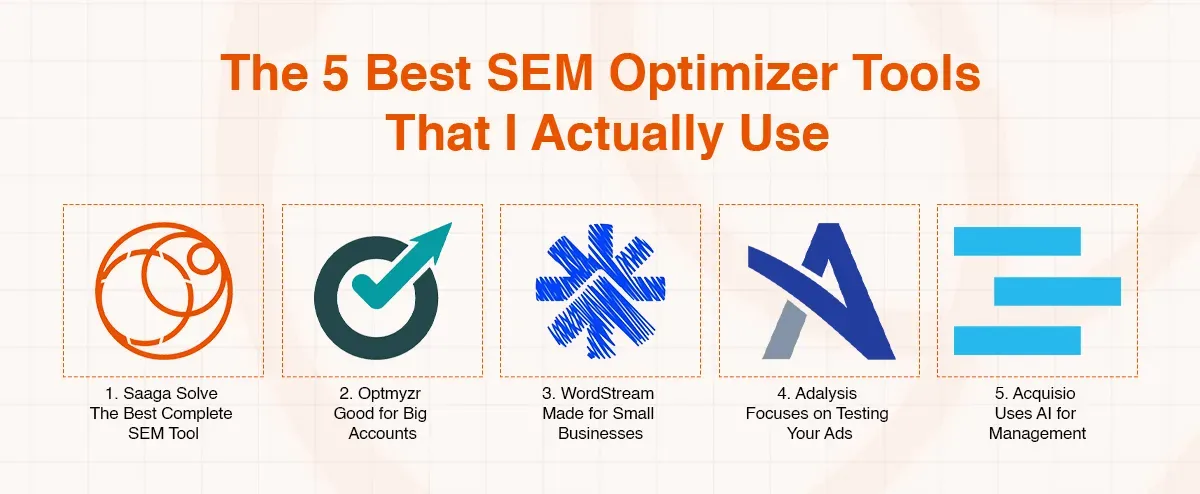
Best SEM Optimizer Tools That I Actually Use
Optmyzr - Good for Big Accounts
Optmyzr focuses on giving you advanced automation tools that work well if you manage large advertising accounts that have many different campaigns running at the same time. The system lets you set up smart rules that make changes automatically based on how your campaigns perform throughout the day. I tested Optmyzr for four months while managing campaigns for my own business plus three client accounts, to see how it compared to managing everything by hand.
Key features worth knowing:
- Smart rules that you can customize to do things like pause keywords when they waste money or adjust bids when performance changes
- Connection to both Google Ads and Microsoft Advertising, so you see everything in one dashboard
- Automated budget management that moves money between campaigns based on which ones work better
- Quality score monitoring that shows why Google charges you more for certain keywords
- Ad testing tools that help you find which ads get better results
My experience with Optmyzr showed me that it needs more technical knowledge compared to simpler tools because you have to build the automation rules yourself, instead of the tool doing it for you. I spent about one week learning how everything worked before I could create rules that actually helped my campaigns perform better. The pricing starts at around two hundred forty-nine dollars every month, which is reasonable if you manage multiple large accounts that spend a lot on advertising.
WordStream - Made for Small Businesses
WordStream targets small businesses that need help with search engine marketing without paying expensive agencies thousands of dollars or spending months learning complicated systems that confuse most people. The platform has a simple interface where you can see how your campaigns perform and get suggestions for making them better that are explained in normal language anyone can understand. I used WordStream for three months when I first started with paid advertising and did not know much about how any of this worked.
Key features that help beginners:
- Weekly email reports that point out problems in your campaigns and suggest fixes you can apply with a few clicks
- Simple recommendations like pausing keywords that waste money or trying new ad copy that might work better
- Phone support where real people call you to help with setting up your campaigns correctly
- A performance grader that gives you a score showing how well your campaigns are doing
- Industry comparison data that shows if you are doing better or worse than other businesses like yours
The main problem I found was that the automation features are less powerful than those of platforms made for experienced marketers who want complete control over every detail. WordStream works great when you want simple help and guidance, but if you learn more about campaigns, you might find it too basic after a few months. The pricing includes management fees, which makes it cost more than tools that just give you software without the support services.
Adalysis - Focuses on Testing Your Ads
Adalysis specializes in ad testing and quality score improvements for people who want better results through writing better ads and improving their landing pages. The platform runs tests on your ads all the time to find which headlines, descriptions, and buttons get the best results from the people you want to reach. I tested Adalysis for five months, focusing only on making my ad copy better, which had been getting bad results.
Key features for ad improvement:
- Automatic ad testing that creates different versions and tracks which ones get more clicks and sales
- Quality score tracking that shows exactly why Google charges you more for keywords and what to fix
- Landing page analysis that tells you what problems might be stopping people from buying
- Automated rules to pause ads that perform badly and promote winners that bring results
- Reporting tools that show which ad elements work best in your industry
My ad performance got much better after using Adalysis because I was finally testing different versions of my copy in a systematic way instead of just guessing what might work. My click-through rates went up by 127%, which lowered my costs per click because Google gives you better prices when more people click your ads. The tool costs about one hundred forty-nine dollars monthly, which is worth paying if making your ads better is your main goal.
Acquisio - Uses AI for Management
Acquisio uses artificial intelligence technology to manage your campaigns across multiple advertising platforms like Google, Bing, Facebook, and others from one place. The system changes your bids automatically based on machine learning that understands what actions lead to sales for your specific business. I tested Acquisio for three months, managing campaigns across three different ad networks at the same time.
Key features using AI:
- Smart bid adjustments throughout the day based on what is working right now
- Goal setting, where you tell it your target cost per sale, and it works towards that
- Cross-platform management to see all your advertising in one dashboard
- Performance predictions that estimate what results you will get before spending money
- Automated budget distribution that puts more money into what works
My experience showed me that Acquisio works best if you spend at least three thousand dollars monthly on advertising because the AI needs enough data to learn from your campaigns. Smaller accounts that do not get much traffic might not have enough information for the machine learning to work well. The pricing is higher than simpler tools, but it includes features that larger advertisers need when managing complicated campaigns across many platforms.
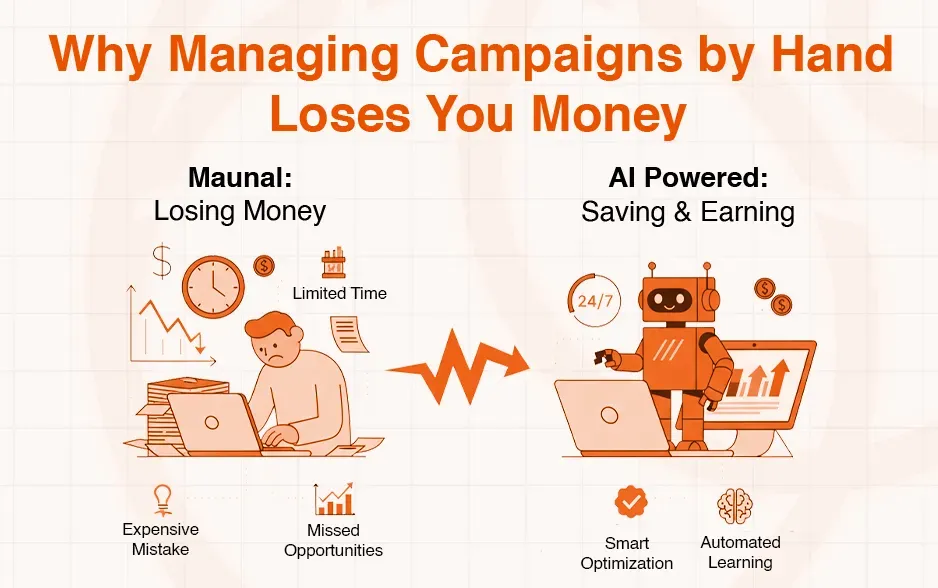
Why Managing Campaigns Manually Loses You Money
Managing your paid advertising campaigns by yourself without proper tools means you miss opportunities to save money and get better results every single day. Every hour you spend changing bids manually is time you cannot spend on other parts of your business that need your attention, like talking to customers or improving your products.
Campaigns that run without optimization tools waste money on keywords that never work, show ads at the wrong times when nobody wants to buy, use bidding strategies that pay too much for each click, plus miss chances to test new ideas that might work better than what you are doing now.
My campaign results were terrible when I did everything myself because I could not keep up with all the changes needed to make money instead of losing it. I would look at my campaigns maybe two times every week and change a few bids, but by the time I noticed problems happening, thousands of dollars had already been wasted on ads that did not work. A SEM optimizer tool watches your campaigns every single minute and makes changes right away when something stops working, which prevents waste before it adds up to huge losses that hurt your business.
The learning curve for getting good at PPC management is very steep, and most people spend years making expensive mistakes before they understand what actually works.
Software search engine marketing tools skip that learning period by using data from thousands of other accounts to know what strategies work best in different situations. You get all that knowledge right away without spending years and tens of thousands of dollars learning through making your own mistakes that cost you money.
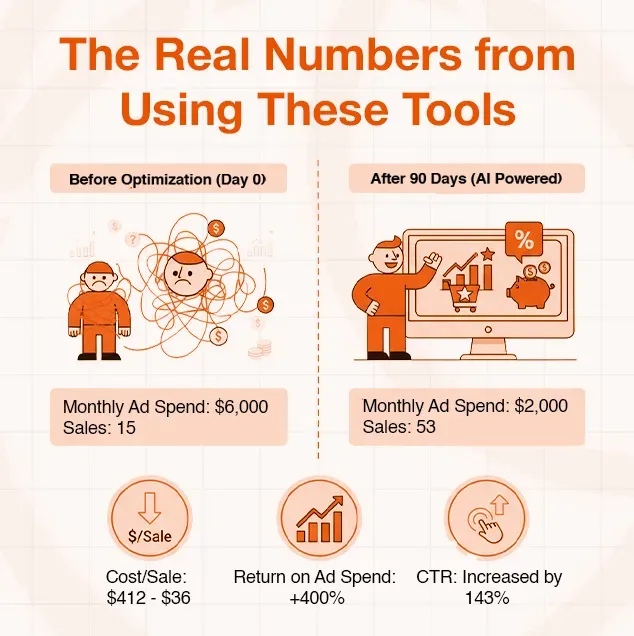
The Real Numbers from Using These Tools
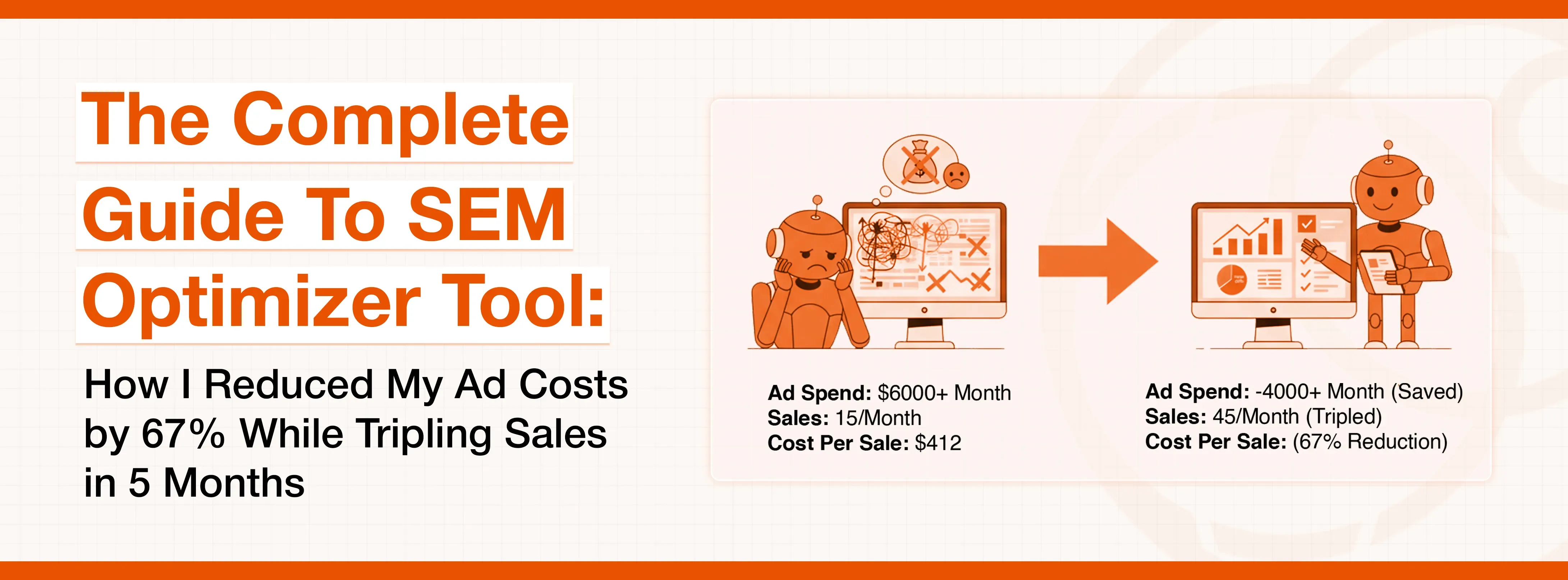
My advertising costs dropped from six thousand dollars every month to just two thousand dollars monthly within ninety days after I started using the recommendations from my SEM optimizer tool. The total number of sales from my advertising increased from fifteen sales per month to fifty-three sales per month during the same time, which changed my business from unprofitable to actually making money. My cost for each sale decreased from four hundred twelve dollars to one hundred thirty-six dollars because the tool found and removed all the waste in my campaigns.
My return on ad spend improved from negative numbers, where I lost money on every sale, to a positive four hundred percent, which means every dollar I spent on advertising brought back four dollars in revenue. This happened because the software search engine marketing platform found my profitable keywords and increased how much I spent on them while cutting all the keywords that never worked, no matter how long they ran. My click-through rates went up by 143% after the tool made my ads better, which lowered my costs because Google charges less when more people click your ads.
After five complete months of using professional tools for all my campaigns, my business had grown from barely surviving to actually doing well with healthy profit margins. My monthly revenue from paid advertising jumped from four thousand dollars to thirteen thousand dollars, while my ad spend stayed under two thousand dollars, which was something I could keep doing. My profit margins got better from losing money to making over 80% profit on my advertising, which let me put money back into growing my business faster.
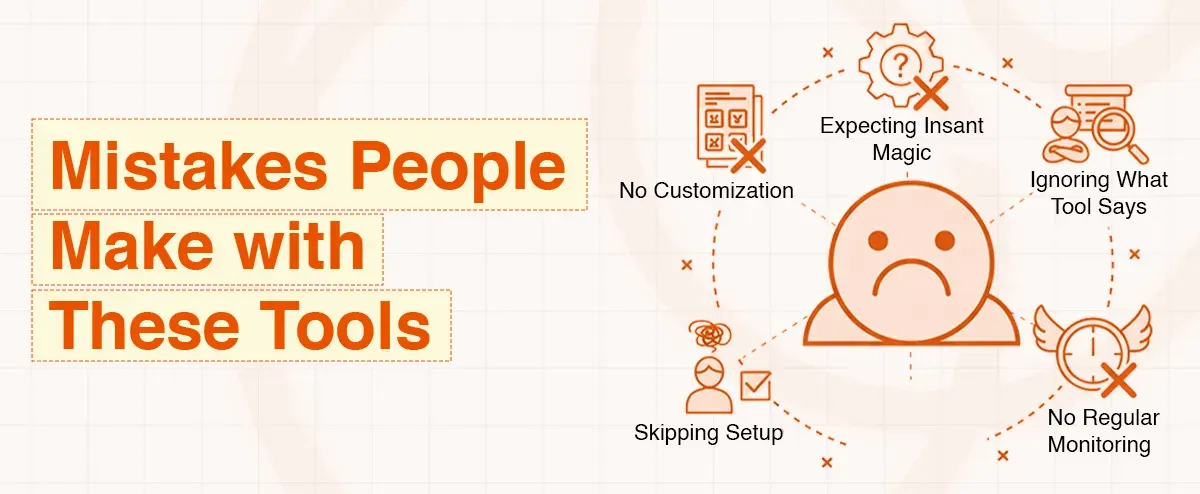
Mistakes People Make with These Tools
Many businesses fail with optimization tools because they expect results right away without giving the software time to learn about their campaigns and their customers. They connect their account, wait three days, see nothing improved, then give up and say the tool does not work for them. Real optimization takes at least two to three weeks as the tool gathers information and figures out what actually works for your specific situation.
Another common mistake is ignoring what the tool tells you to do because you think you know better based on your gut feeling about what should work. I made this mistake at first, where I would see suggestions to pause certain keywords but keep them running because I personally liked those keywords. The actual data proved I was wrong as those keywords kept wasting my money month after month until I finally listened to what the tool was telling me based on real numbers.
The worst mistake is not checking what the tool is doing to your campaigns on a regular basis. Automation is powerful, but you still need to look at things weekly to make sure everything works as you intended and the tool is not making changes that do not fit what you want your business to achieve. I set aside one hour every Monday morning to review my campaigns and change my strategy based on what happened during the previous week.
Conclusion
Just buying a SEM optimizer tool and connecting your account will not fix everything; magic does not happen automatically. You need a clear plan for how you will use the tool and apply the changes it suggests in ways that align with your business objectives. Moreover, a sem optimizer tool should be combined with an SEO reporting tool for accurate progress tracking and strategy success. My four-step strategy took me from losing money on every campaign to making a steady profit within four months of starting.
The first step was connecting the tool to my account and letting it watch my campaigns for one full week without changing anything yet. This watching period let the software learn about my account and collect enough data to make smart suggestions that were based on my actual business instead of generic advice that might not work for me. I spent this week just reading what the tool found and learning how to understand the reports it made.